Three months of statements, reconciled
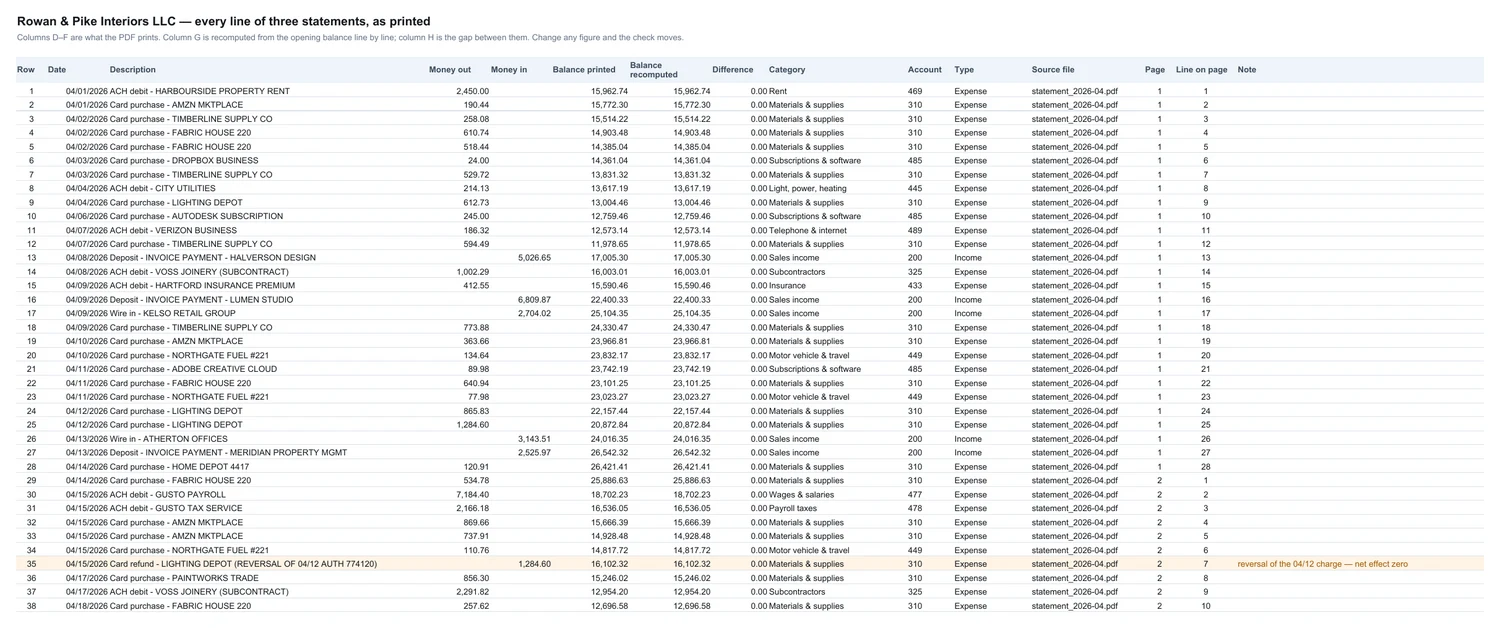
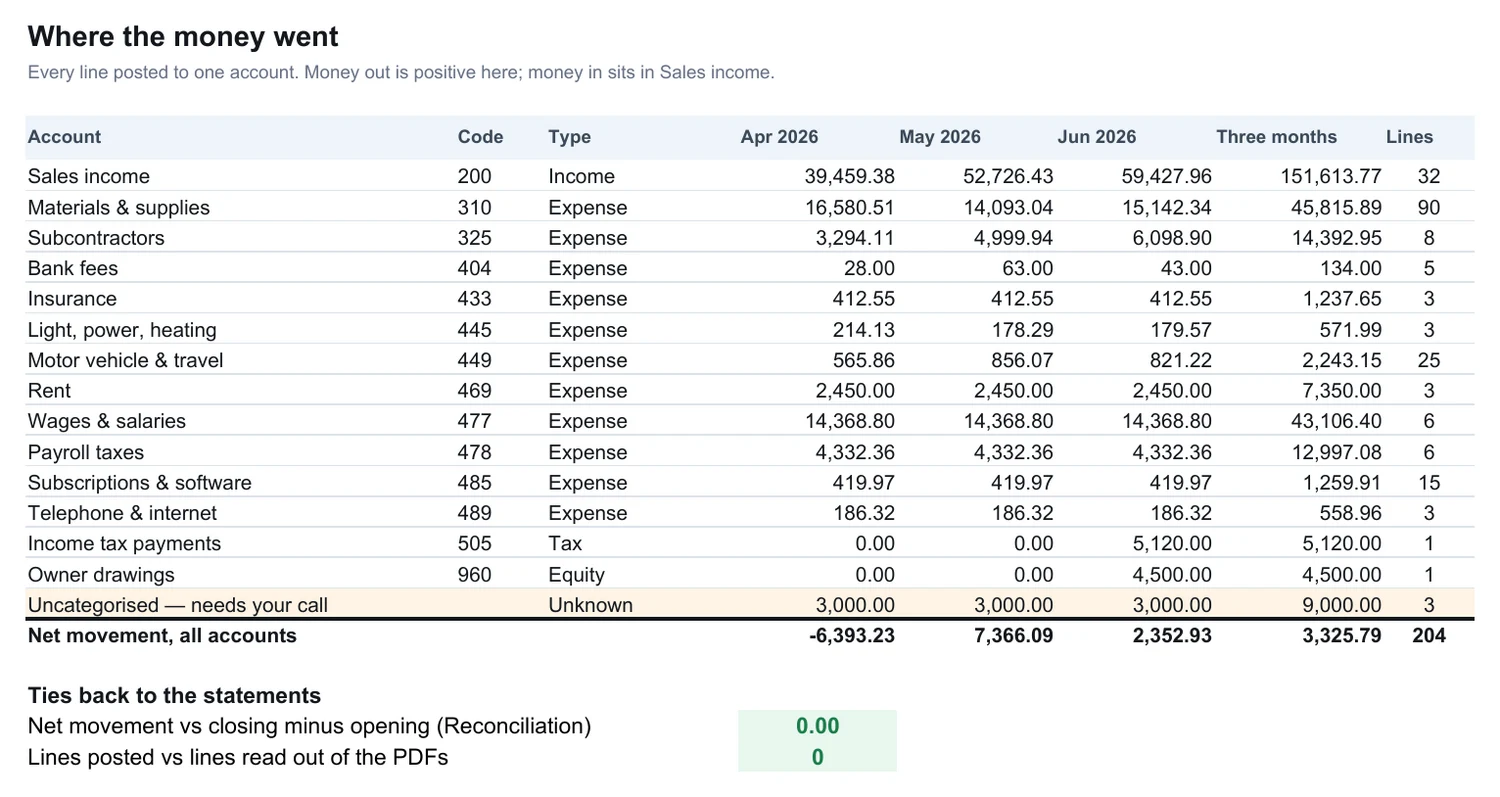
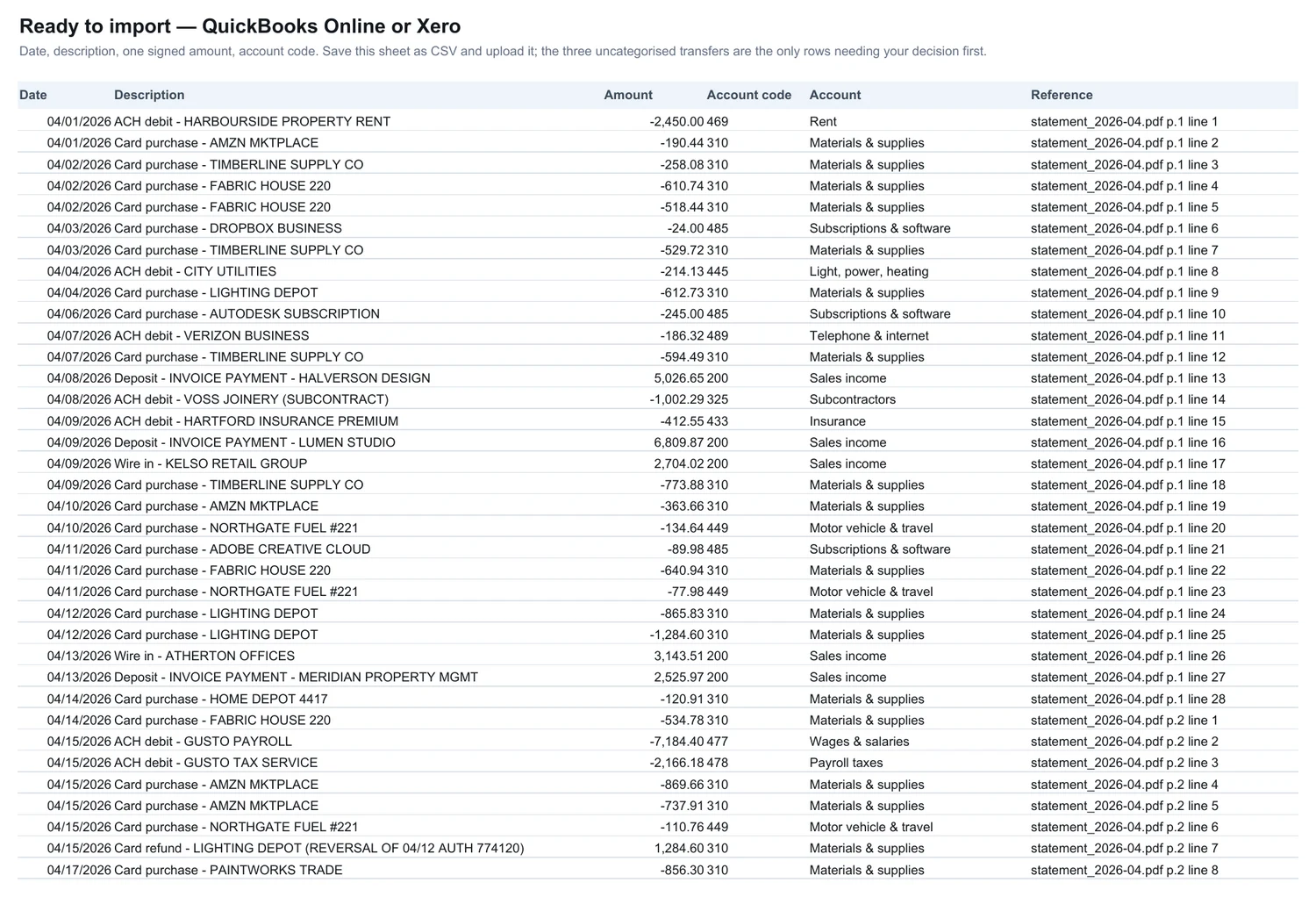
One whole job, published so you can open it before you order one. Three monthly PDF statements went in. One workbook came back: 204 lines typed out and posted to an account, the running balance rebuilt from the opening figure and checked against every line the bank printed, and the eight awkward places written up with what was done about them.
The bank and the company are invented — no real account is shown. Everything else is exactly the file you would get.
Everything below is in those four files.
What went in
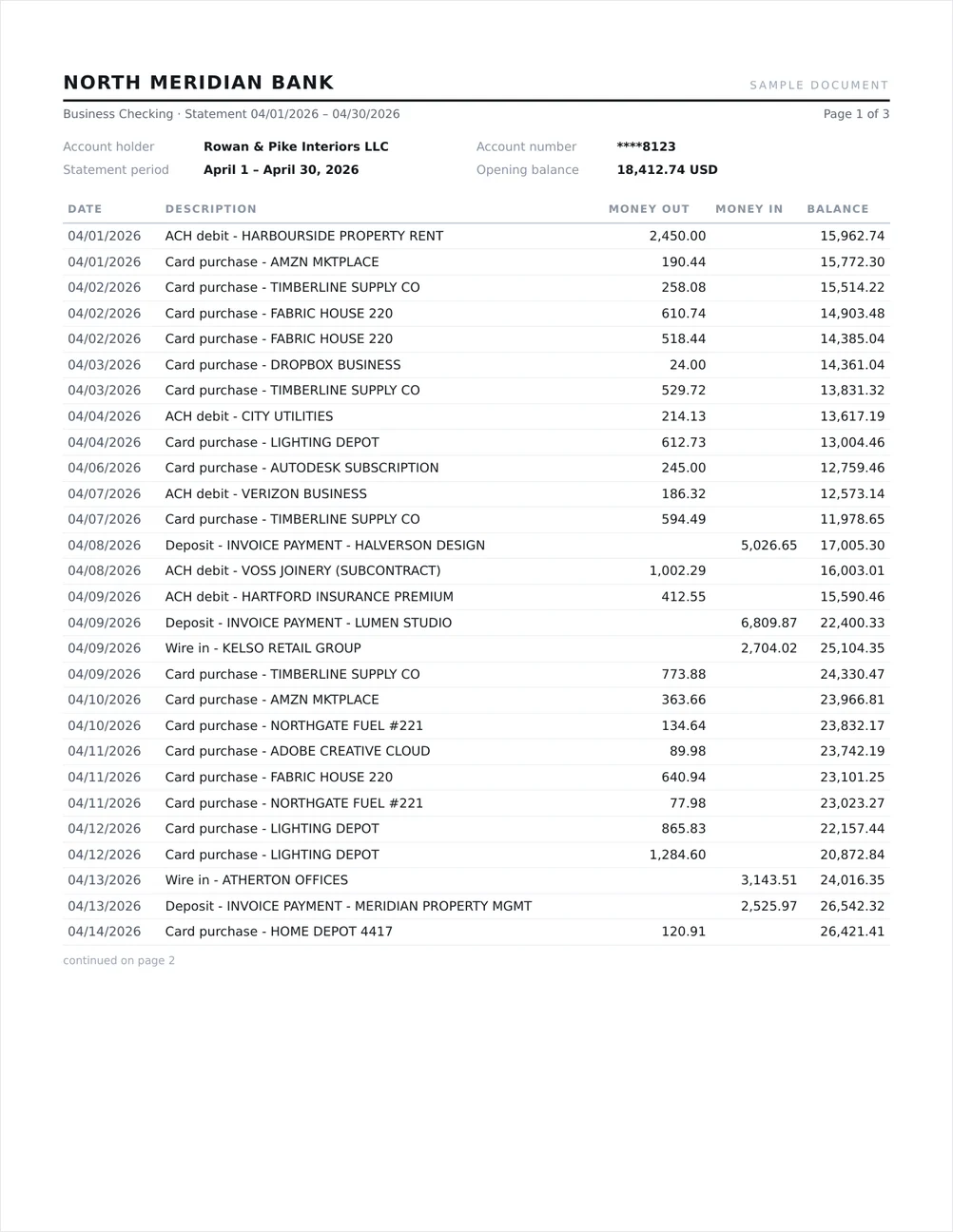
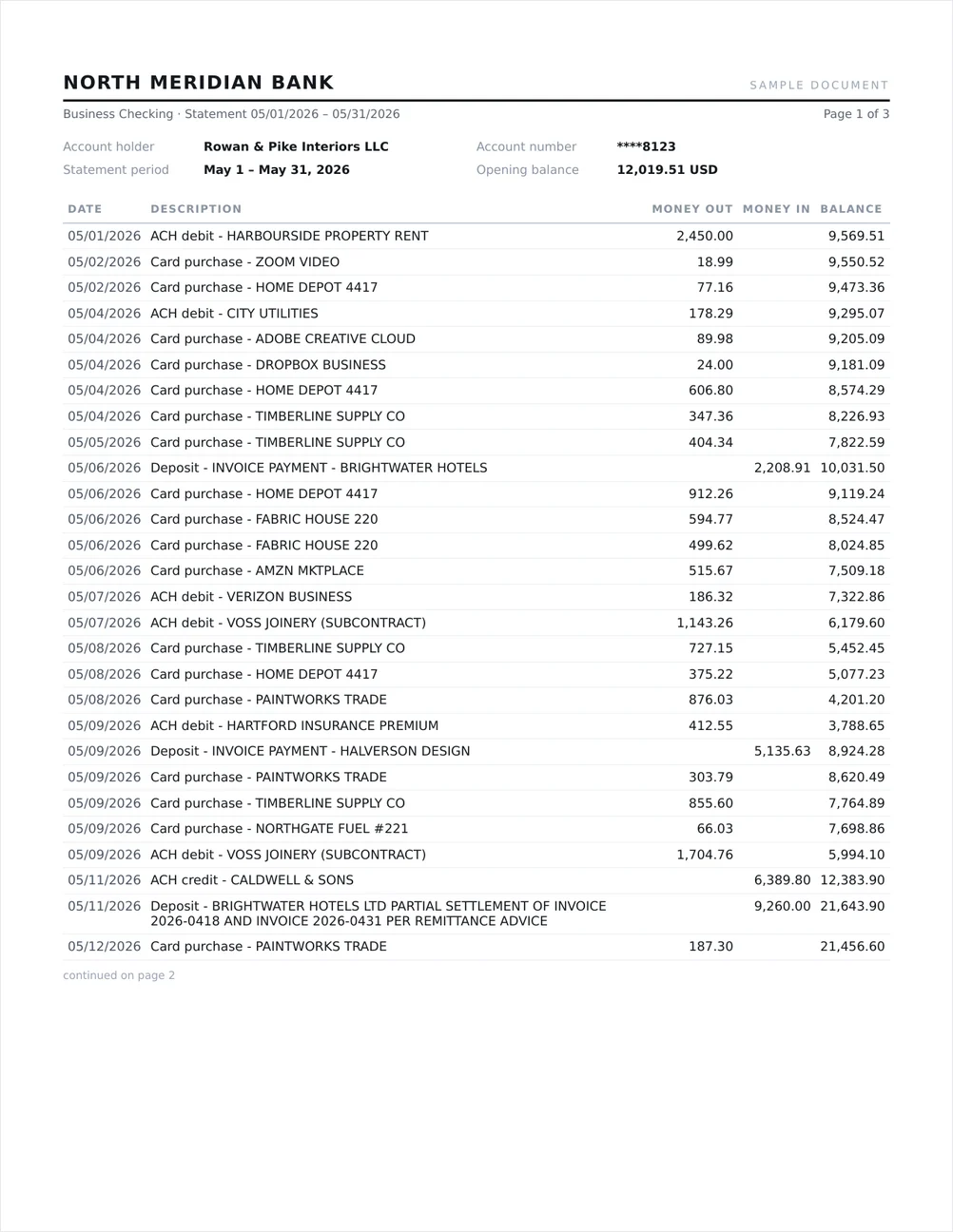
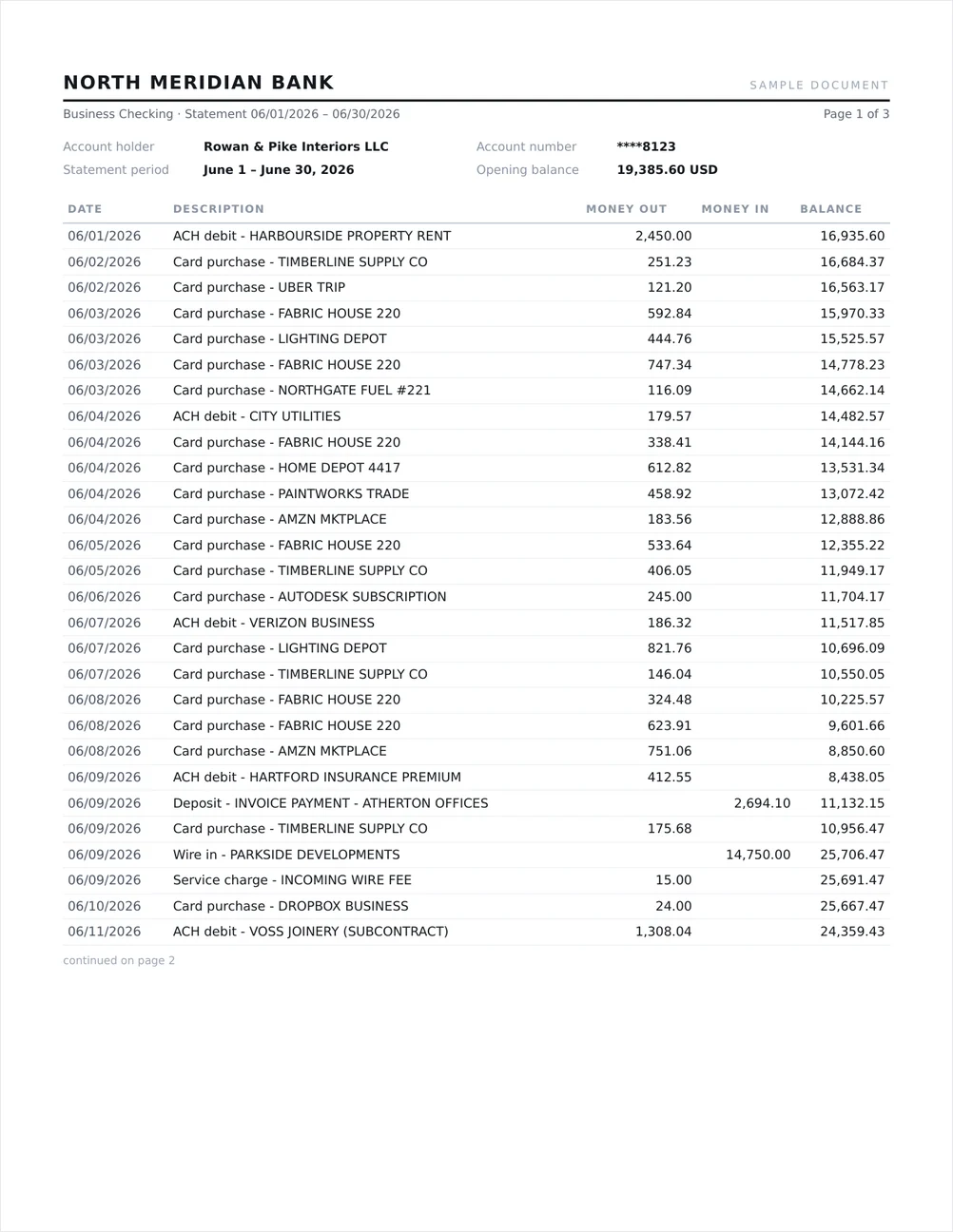
Nine pages of business checking, April to June 2026. Three statements in sequence, so each month has to hand its closing balance to the next.
What the check says
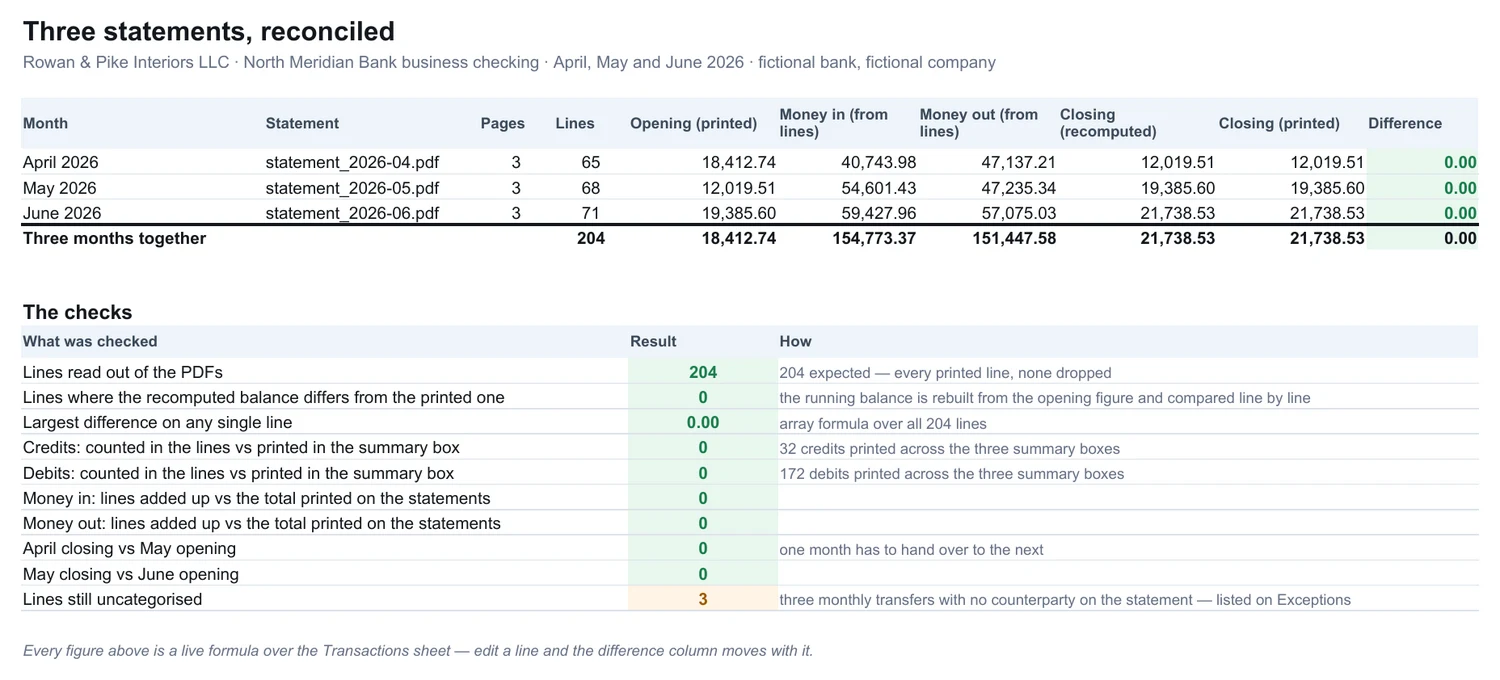
Opening balance plus money in minus money out, recomputed from the lines, against the closing balance printed in each statement's own summary box.
| Month | Lines | Money in | Money out | Closing, recomputed | Closing, printed | Difference |
|---|---|---|---|---|---|---|
| April 2026 | 65 | 40,743.98 | 47,137.21 | 12,019.51 | 12,019.51 | 0.00 |
| May 2026 | 68 | 54,601.43 | 47,235.34 | 19,385.60 | 19,385.60 | 0.00 |
| June 2026 | 71 | 59,427.96 | 57,075.03 | 21,738.53 | 21,738.53 | 0.00 |
| Three months | 204 | 154,773.37 | 151,447.58 | 21,738.53 | 21,738.53 | 0.00 |
That is the summary check. The one that matters more is the row-by-row one:
| Lines read out of the PDFs, none dropped | 204 |
| Lines where the recomputed running balance differs from the balance printed beside it | 0 |
| Largest difference on any single line | 0.00 |
| Credits and debits counted, against the counts printed in the summary boxes | 0 |
| April's closing against May's opening, May's against June's | 0.00 |
| Lines left uncategorised rather than guessed | 3 |
Those six numbers are live formulas in the workbook, not typed-in results. Change a figure on the transactions sheet and every one of them moves.
What came back
The eight places the statement argues with itself
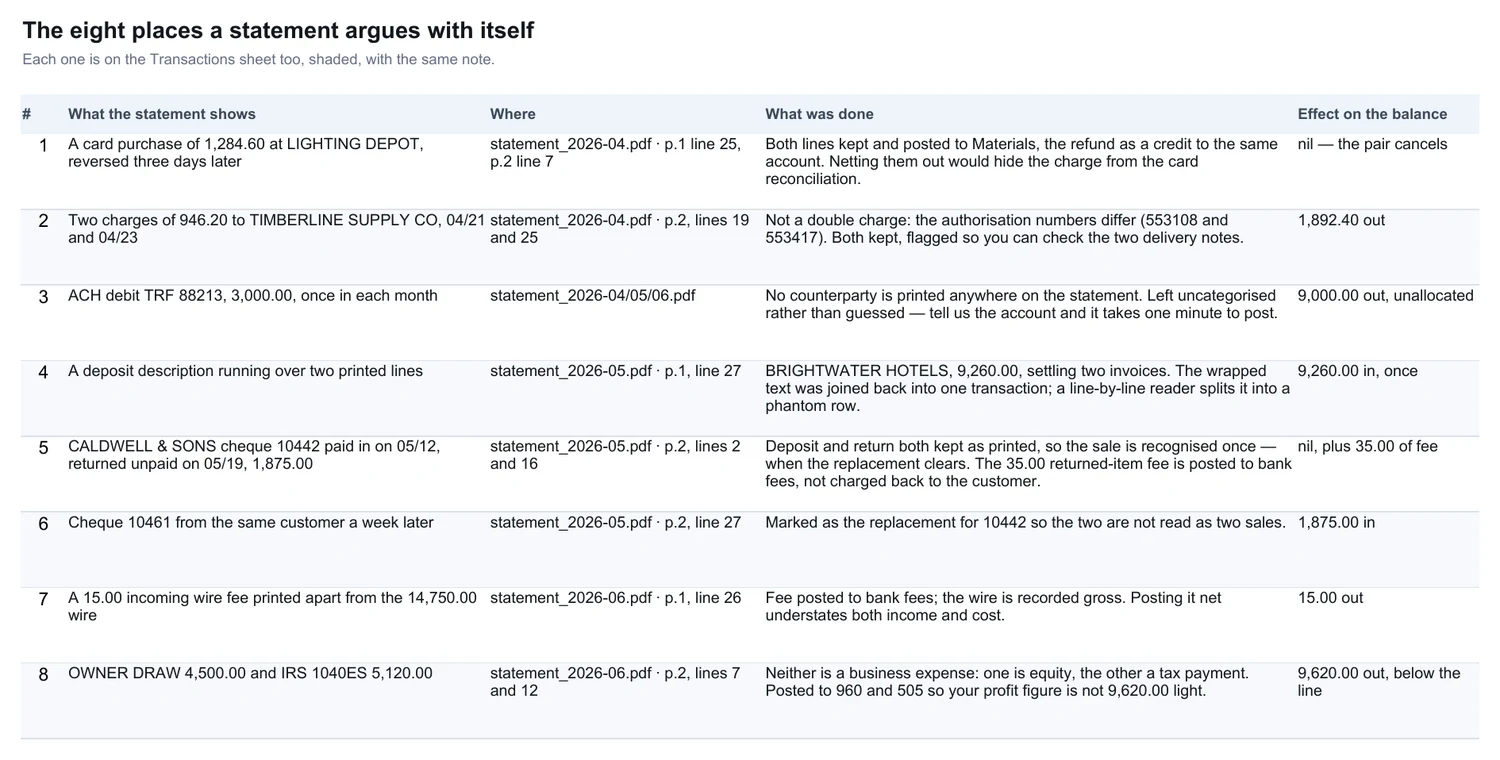
This is the part a fixed-price typing job skips, and the reason the balance lands. Each one is flagged on the transactions sheet too, in its own row.
- A card purchase of 1,284.60, reversed three days later. Both lines kept and posted, the refund as a credit to the same account — netting them out would hide the charge from the card reconciliation.
- Two charges of 946.20 to the same supplier, two days apart. Not a double charge: the authorisation numbers differ. Both kept, flagged so you can match the two delivery notes.
- An ACH debit of 3,000.00 with no counterparty printed, once a month. Left uncategorised rather than guessed. Tell us the account and it takes a minute to post.
- A deposit whose description runs over two printed lines. Joined back into one transaction. A reader that takes each printed line as a row invents a transaction here.
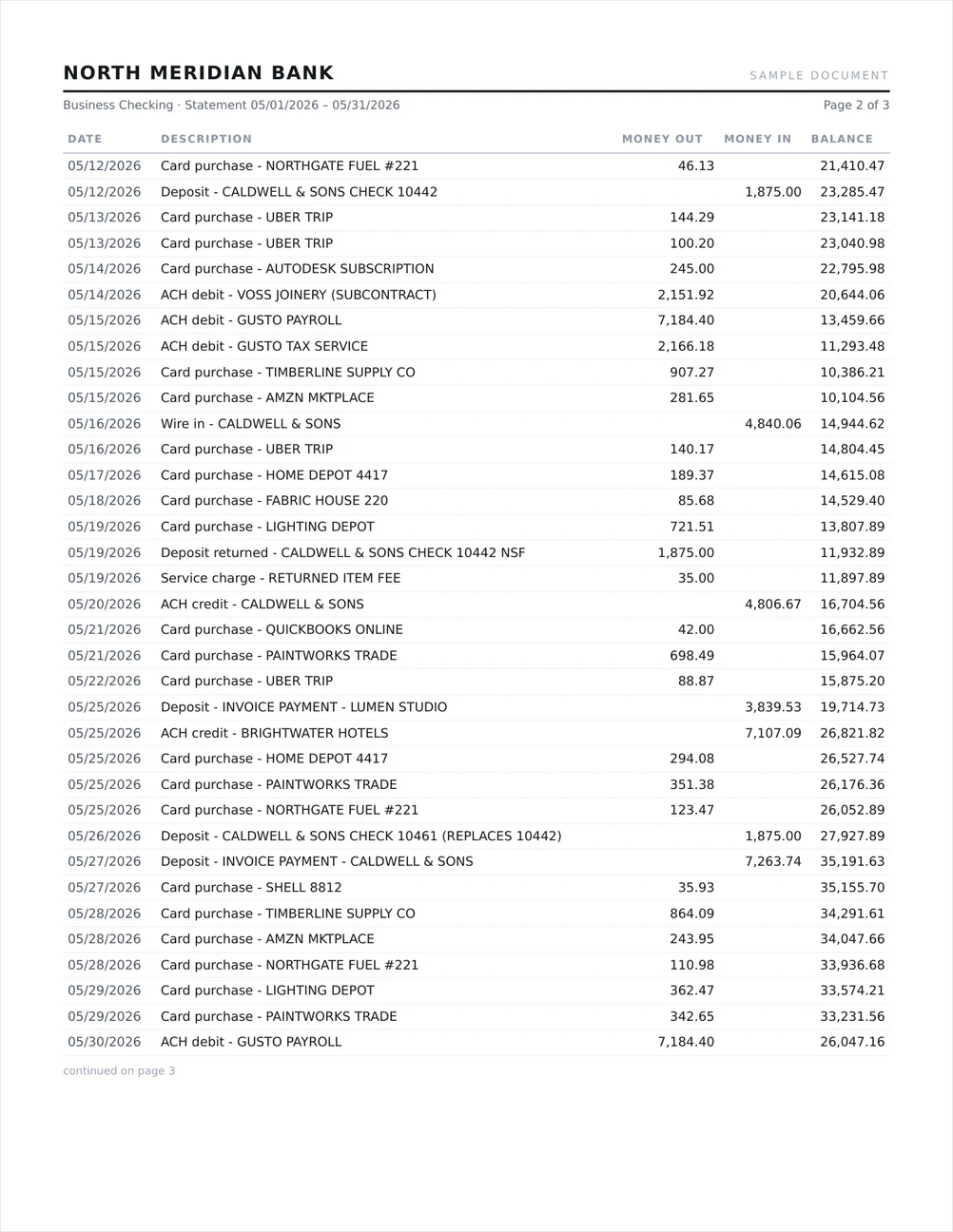
- A cheque paid in, returned unpaid a week later, replaced at the end of the month. All three lines kept, so the sale is recognised once, when the replacement clears.
- The 35.00 returned-item fee that came with it. Posted to bank fees, not charged back to the customer.
- A 15.00 incoming wire fee printed apart from its 14,750.00 wire. The wire is recorded gross and the fee posted as a fee. Netting the two understates both income and cost.
- An owner draw of 4,500.00 and a 5,120.00 IRS instalment. Neither is a business expense: one is equity, one a tax payment. Posted below the line, so the profit figure is not 9,620.00 light.
How it was done
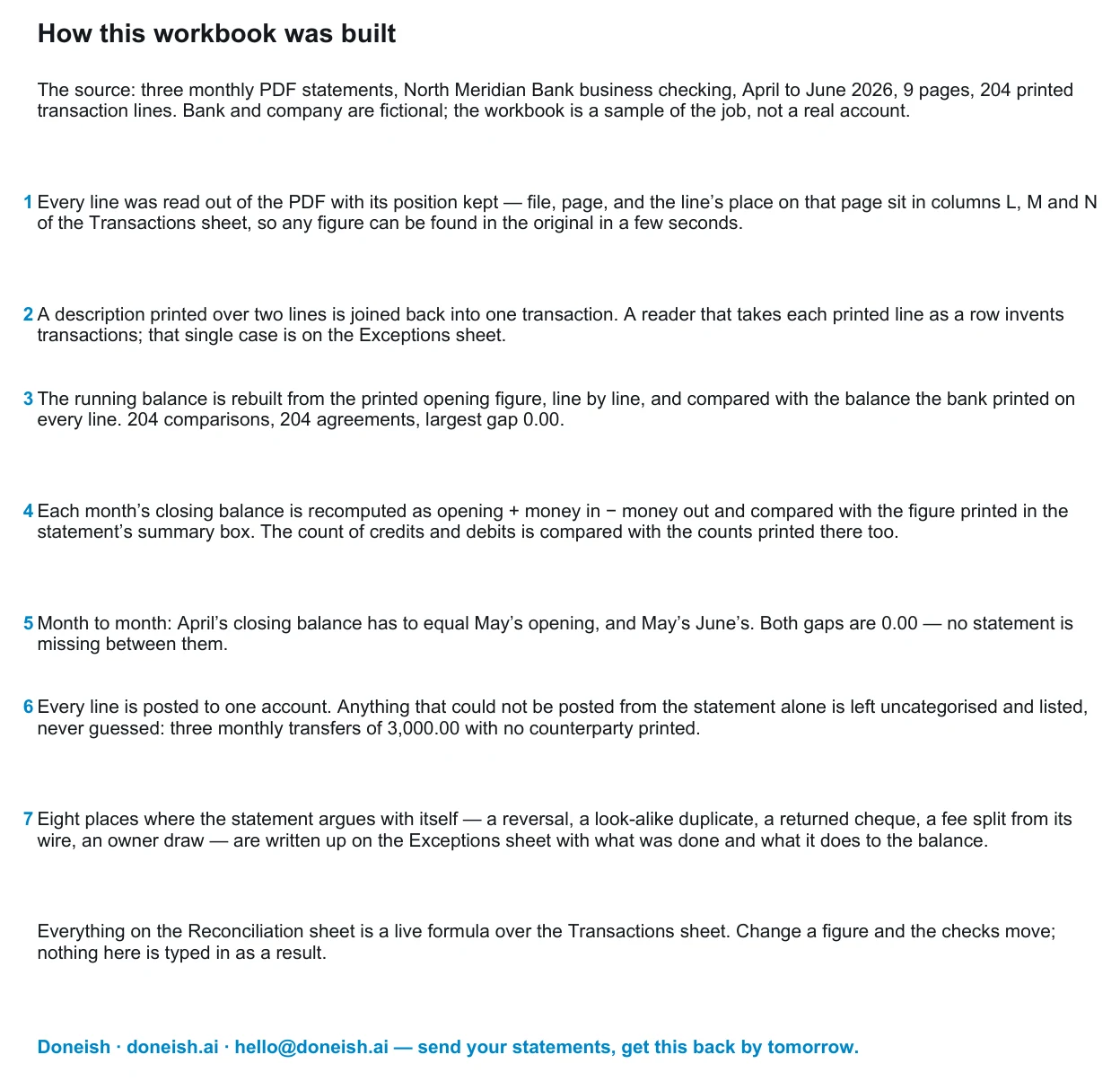
Every line is read out of the PDF with its position kept, so nothing rests on trust: the workbook's own source columns point at the file, the page and the line. The running balance is rebuilt from the printed opening figure and compared with the bank's own printed balance on all 204 lines. The month-to-month handover is checked, the line counts are checked against the counts printed in the summary boxes, and anything that could not be posted from the statement alone is listed rather than guessed.
Send yours
Email the statements to hello@doneish.ai — PDF, scan or photo, whatever your bank gives you. Say which accounting system it has to land in and whether you want a category list of your own. Back by the next day, with the check above filled in for your months.